These instructions will go through user management with the Resideo app. Any user that has access to the Resideo app can manage users. After an invitation is sent to new users, the user needs to download and install the app and follow the steps to create an account using the email address in the invitation.
Accessing User List
Only existing Resideo users can invite new users.
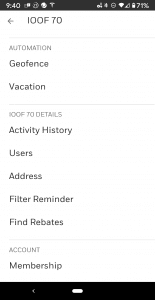
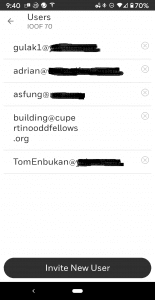
Open up the Resideo App. Tap on the menu icon in the top left of the app to pull down the menu. Tap on “Users” to see the current list of users and add new ones.
Invite or Delete Users
Tap on “Invite New User” to add new users. Tap on the “x” icon to the right of a user to delete a user.
Send Invitation
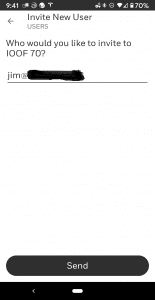
When inviting a new user, enter in the individual’s email address and press the “Send” button.
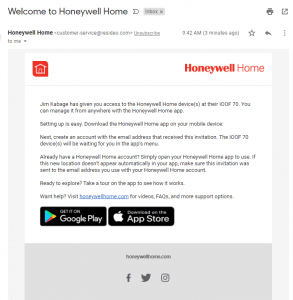
Invitation e-mail Sent to New User
This will send the user an email invitation with links to the apps in the Apple AppStore and Google Play Store so they can download, install and create their account. The invitation adds their email to the authorized accounts, so they can create their account from the app.